EU Energy Labels for Shopify
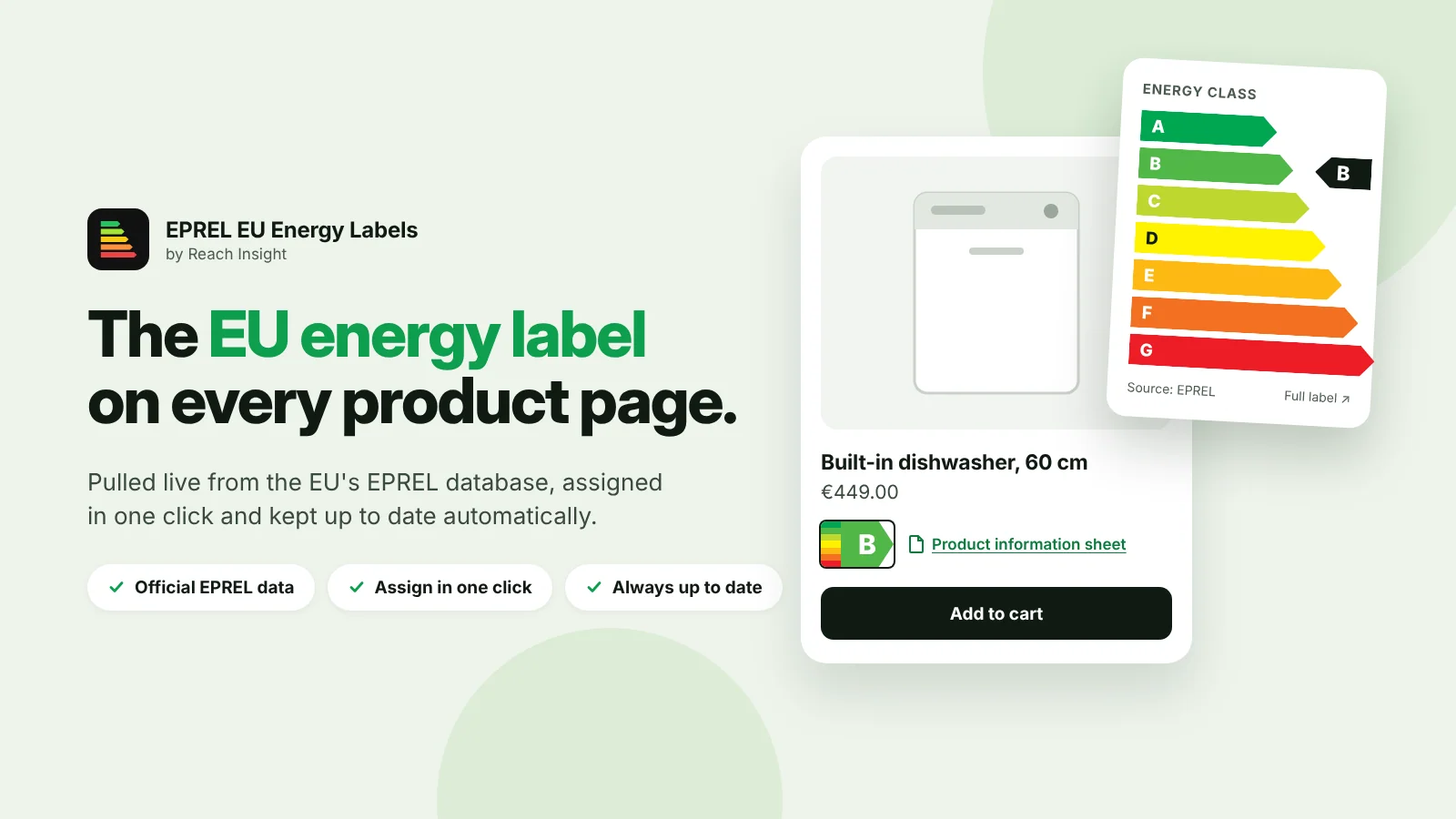
The Shopify app that puts the official EU energy label and product information sheet on every product page. Pulled live from EPREL, assigned in one click and kept up to date automatically.
The regulation
Energy labels are mandatory in online shops, too
Under Regulation (EU) 2017/1369 and its product-specific delegated regulations, online sellers must display the energy efficiency class and the energy label near the price, and make the product information sheet available. Since March 2021, labels have been rescaled to the A–G scale, and EPREL is the official source.
Legal basis: Regulation (EU) 2017/1369
Cease-and-desist letters
In Germany, missing or outdated energy labels are a classic trigger for Abmahnungen from competitors and consumer associations under unfair competition law.
Fines from market surveillance
National authorities check online shops and can impose fines when labels or product information sheets are missing.
Hours of manual work
Finding each model in EPREL, downloading label and sheet, uploading and linking them per product and per language adds up fast.
Labels change
Rescaling and new product groups mean labels you uploaded once can become outdated without you noticing.
Features
Official labels, automatically in the right place
Straight from EPREL
The label and the product information sheet come from the official EU database, not from a PDF someone uploaded years ago.
Full label or compact arrow
Show the full label next to the price, or the coloured class arrow that opens the full label on click, as the regulations allow for online display.
Kept up to date
Labels stay in sync with EPREL, so rescaled or corrected labels reach your shop without manual work.
Find the record in seconds
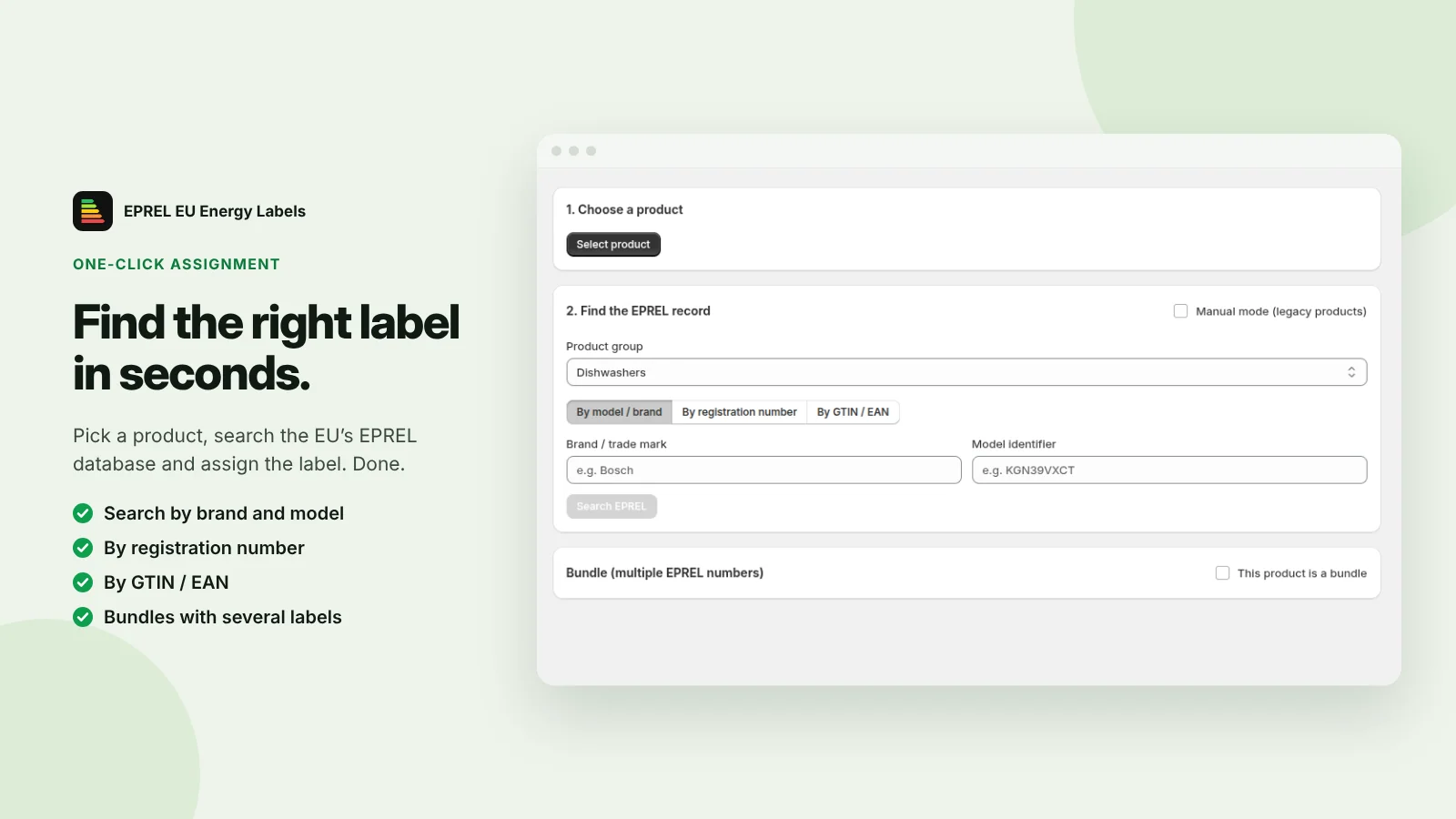
Pick a product and search EPREL by brand and model, by registration number or by GTIN/EAN, filtered by product group.
Bulk import via CSV
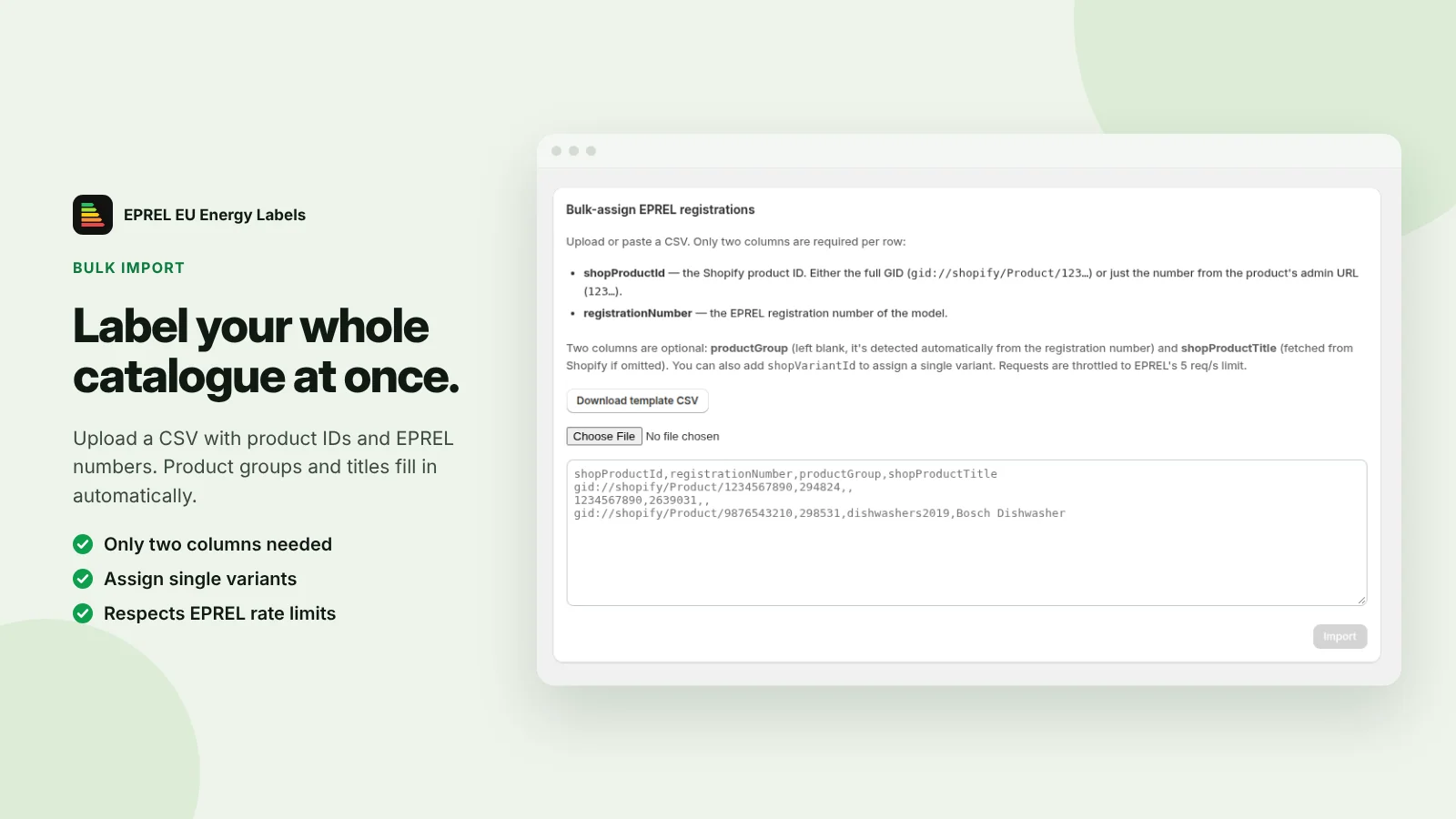
Label your whole catalogue at once. Only two columns are needed: the Shopify product ID and the EPREL registration number. Single variants can be assigned too.
Bundles and legacy products
Assign several EPREL numbers to a bundle, and use manual mode for older products.
Styled in the theme editor
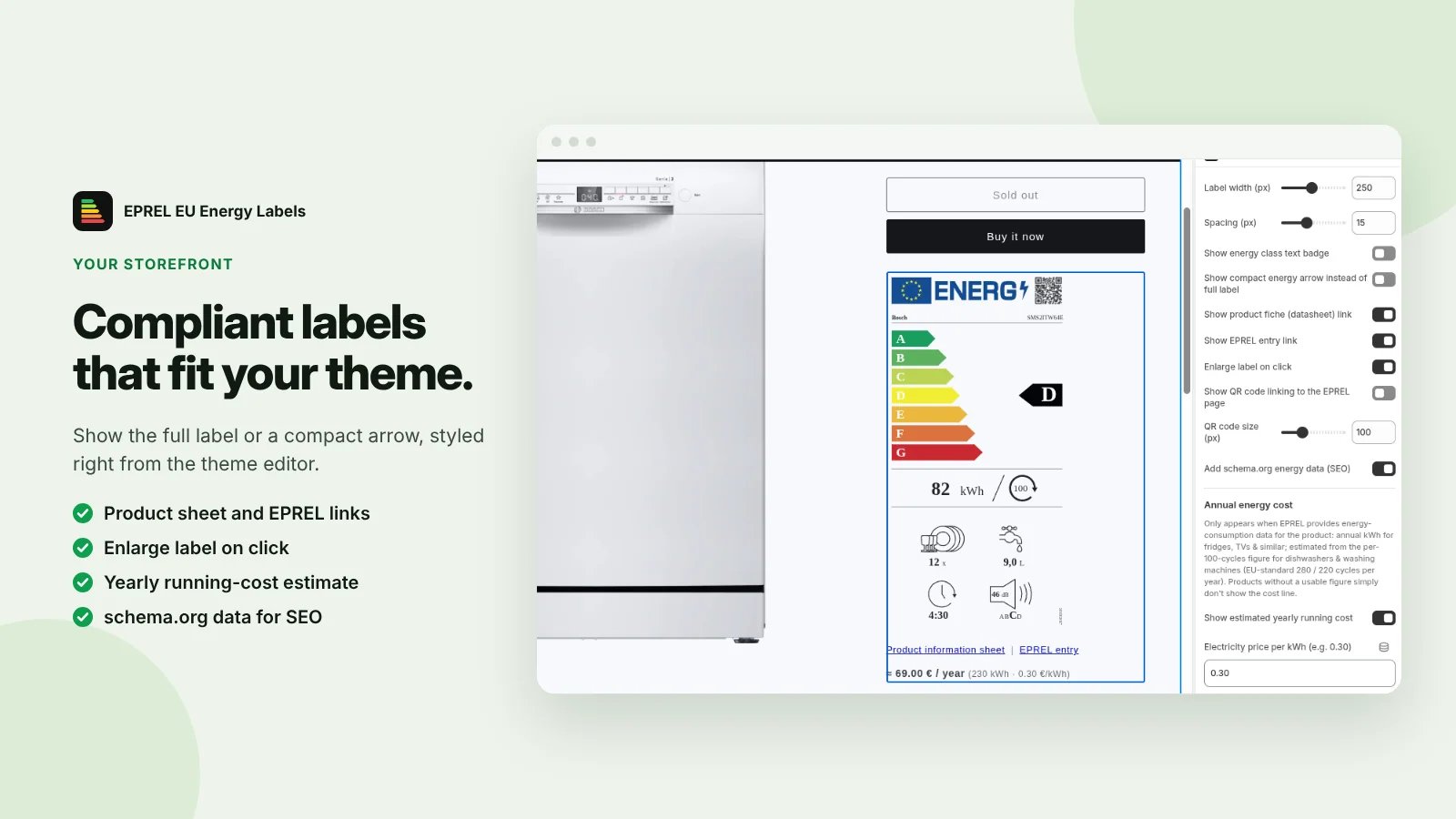
Choose full label or compact arrow and set width and spacing in the Shopify theme editor, so the label fits your theme.
Sheet, EPREL link and QR code
Link the product information sheet and the EPREL entry, enlarge the label on click, and optionally show a QR code to the EPREL page.
Running costs and SEO
Optionally show an estimated yearly running cost based on your electricity price, and add schema.org energy data for search engines.
How it works
Compliant in 3 steps
-
1
Install from the App Store
Add the app to your store from the Shopify App Store.
-
2
Assign the labels
Search EPREL for each product, or upload one CSV for your whole catalogue.
-
3
Place and style
Add the label to your product template in the theme editor and adjust it to your design.
Manual setup vs. EU Energy Labels
| Manual setup | EU Energy Labels | |
|---|---|---|
| Label next to the price | Theme edits per product | ✓ |
| Product information sheet | Download & upload per model | ✓ |
| Data source | Copy & paste | Official EPREL database |
| Updates after rescaling | Re-check every product | Automatic |
| Time per product | Several minutes | Seconds |
Plans & pricing
Plans and prices are listed on Shopify App Store. Billing runs through your Shopify invoice, so there is no separate contract.
View pricing & installFrequently asked questions
Yes. For every product group covered by an EU energy labelling regulation (for example TVs and displays, refrigerators, washing machines, dishwashers, tumble dryers, light sources, ovens and range hoods, air conditioners and heaters), distance sellers must show the energy class and the label, and make the product information sheet available.
Instead of showing the full label image next to the price, you can show an arrow in the colour of the efficiency class with the class letter. The full label must open with a click, mouse-over or tap. The plugin uses this format by default.
From EPREL, the European Product Registry for Energy Labelling. Suppliers must register labelled models there, so it is the authoritative source for labels and product information sheets.
Suppliers are obliged to register their models, so ask your supplier for the EPREL registration number. Until then you can upload the label and product information sheet manually and the plugin displays them in the same format.
No. The plugin automates the display of official label data, but you remain responsible for your listings. If you are unsure whether a product falls under a labelling regulation, check with your supplier or a legal adviser.
In the Shopify theme editor. That is also where you choose between the full label and the compact arrow and set the size and spacing, so the label fits your theme.
Yes. Upload or paste a CSV with two columns: the Shopify product ID and the EPREL registration number. The product group and title are filled in automatically, and you can also assign single variants. Requests are throttled to stay within EPREL's rate limits.
Mark the product as a bundle and assign several EPREL registration numbers to it.
From the annual energy consumption EPREL provides for the model and the electricity price per kWh you enter. For dishwashers and washing machines, it is estimated from the consumption per 100 cycles using the EU standard number of cycles per year. If EPREL has no usable figure for a product, the cost line is simply not shown. The feature is optional.
Also relevant for your shop
EU Battery Labels
Battery labelling and information requirements under the new EU Battery Regulation.
WEEE Label
Crossed-out wheelie bin, take-back information and registration numbers.
Digital Product Passport
Link products to their Digital Product Passport, starting with batteries.
Make your Shopify store compliant today
Display official EU energy labels and product information sheets automatically.